prelaunch sale Ends January 1ST
LAST CHANCE TO SAVE 80% OFF

YOU ALREADY HAVE THE IDEAS
Now start every cue with a professional film scoring setup - ready to write, not rebuild.
YOUR PROFESSIONAL SCORING STUDIO, READY TO GO
Pre-loaded and pre-mixed or blank and ready for your own sounds. Everything you need to start scoring today.
You can hear the music in your
head - you just don't know where to start.
You open your DAW. Blank session. Maybe you load a piano or a few orchestral patches. But nothing sounds the way you imagined it.
Before you've written a single note you're already deep in setup - and the music barely gets started.
That's not a talent problem. That's a setup problem.
And it has a solution.
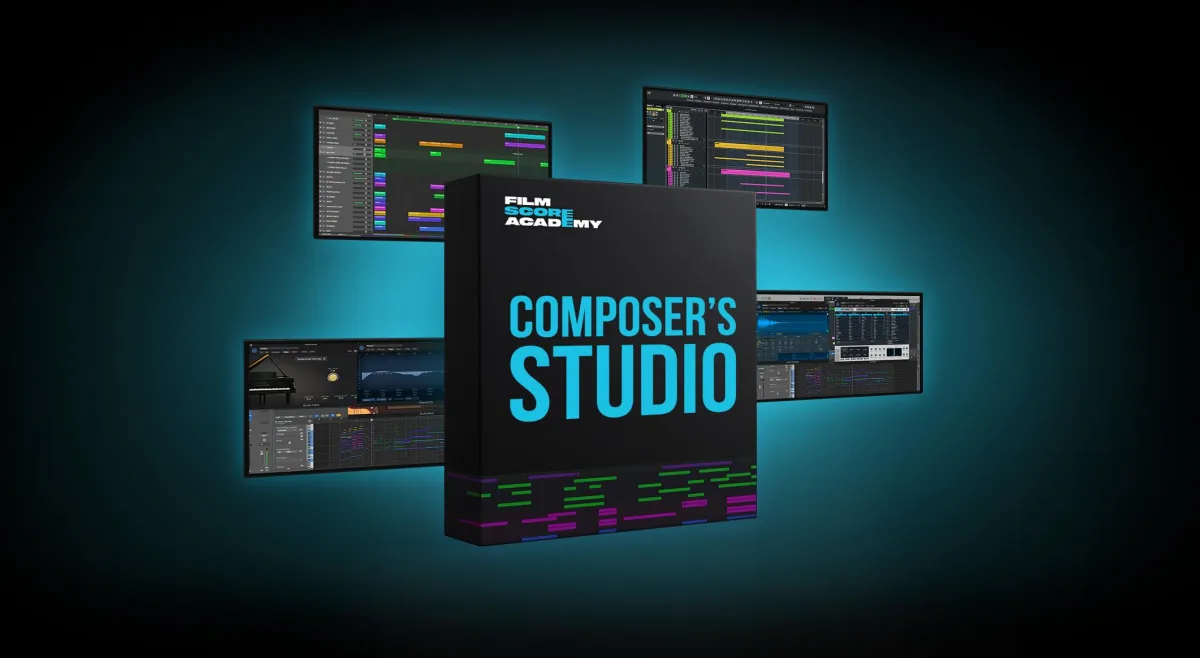
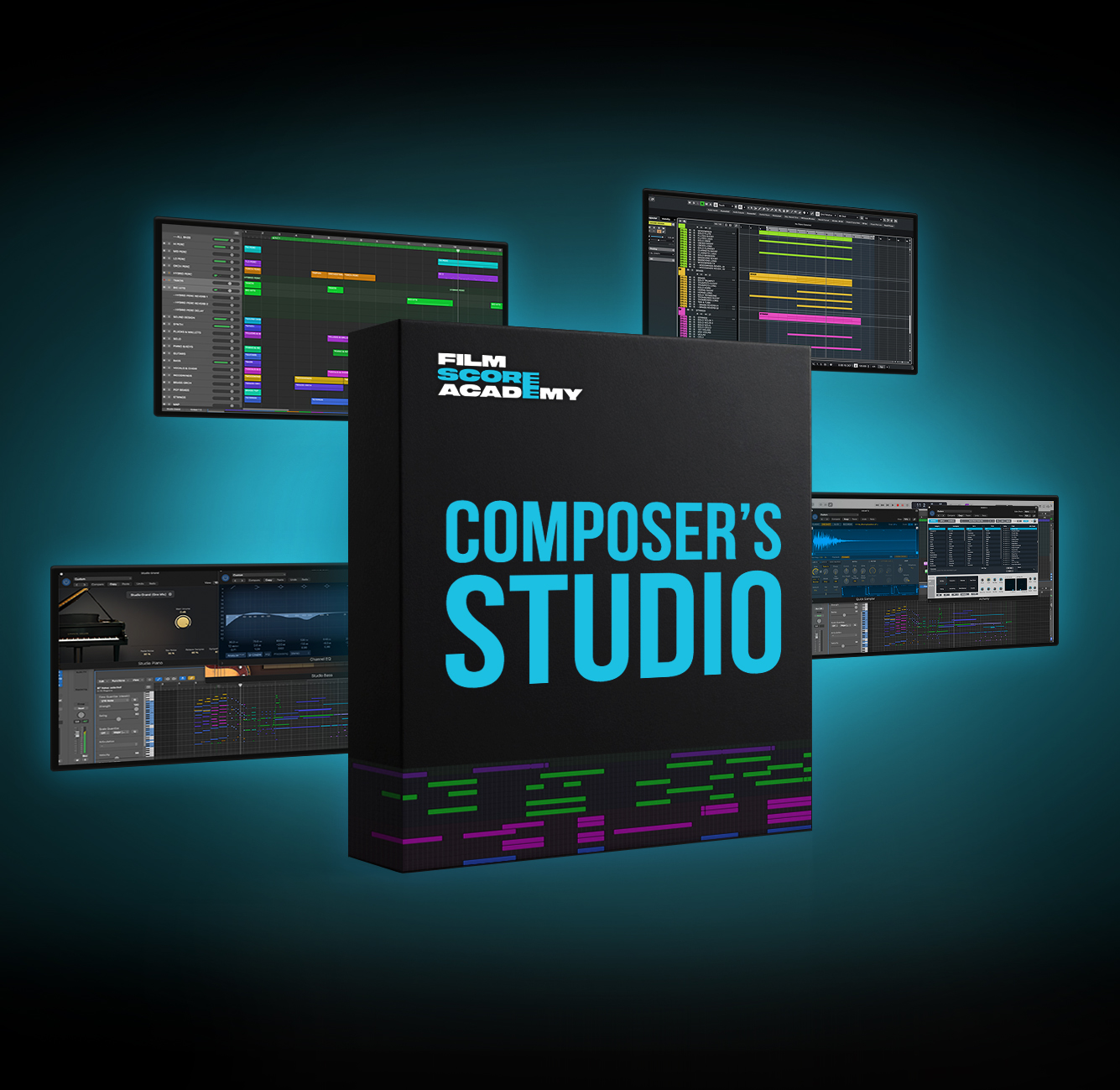
THE FSA COMPOSER'S STUDIO
Everything you need to open your DAW, feel like a professional film composer, and start scoring real scenes - today.
Pre-loaded, pre-mixed DAW Templates
Professional Blank Daw Templates to load your own sounds
Walk through videos
Film Scoring Practice Scenes
Pro Orchestra Expansion
Launch Price $47
(normally $99)
The FSA Composer's Studio is a complete, professional film scoring studio with two types of templates to match how you work.
Open a pre-loaded, pre-mixed template and start writing from the first note. Or load your own sounds into a professionally built blank template with routing, stems, and buses already set up.
No setup. No guesswork. No hours lost before anything gets written.
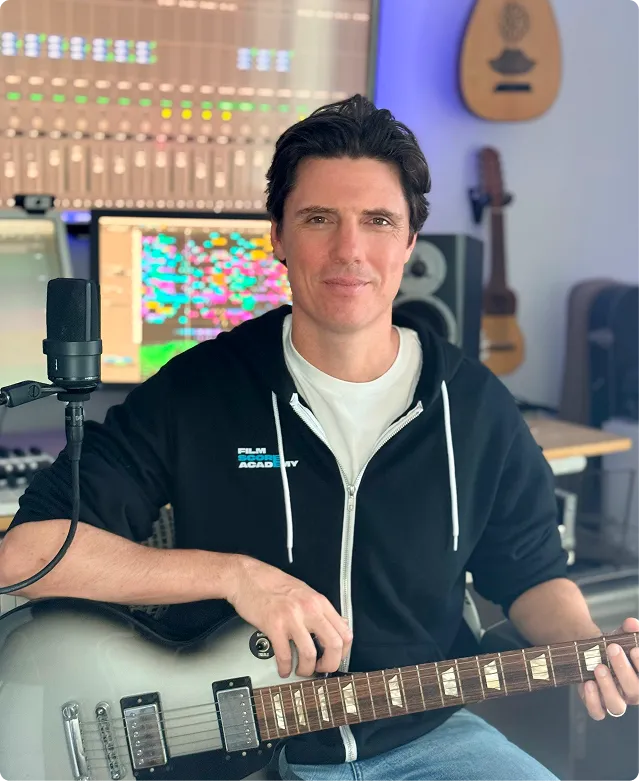
Built by Ian Honeyman from 20+ years of professional Hollywood scoring sessions - this is the exact session set up he uses on every project, handed to you in one download.
YOU ALREADY HAVE THE TALENT
Now finish music that finally sounds like you with
step-by-step help from a Hollywood composer

30 Day Film Composer is for musicians who want to finish pro-level cinematic tracks in their own unique musical voice - without years of trial and error or getting lost in YouTube tutorials.
PRE-PRELAUNCH SALE!
Join before September 1st to get 85% off, early access, a private group where you get your questions answered daily, time-saving templates and more! And lifetime access to everything is just $49 (on September 1st pre-launch price rises to $99 - price after launch $399). Offer Expires Soon.

"My best film scoring teacher ever! Ian is very thoughtful and has a deep understanding of film scoring! He is a great teacher not only of knowledge but also understanding the relationship between music, composer and audience!"
– Jinfeng
"Learning film scoring under Ian was a transformative experience. His deep understanding of storytelling through music gave me a strong foundation and the confidence to grow as a composer. His mentorship not only sharpened my technical skills but also helped me to discover and embrace my own unique voice."
– Taisuke
"Studying with Ian opened up my world as a composer. His skill set and long experience are so valuable, and his process makes creating music so much easier. If you have the opportunity to learn from Ian I would definitely recommend you take it!"
– Vincent
What's Included In
FSA COMPOSER'S STUDIO
PRE-LOADED SCORING TEMPLATES
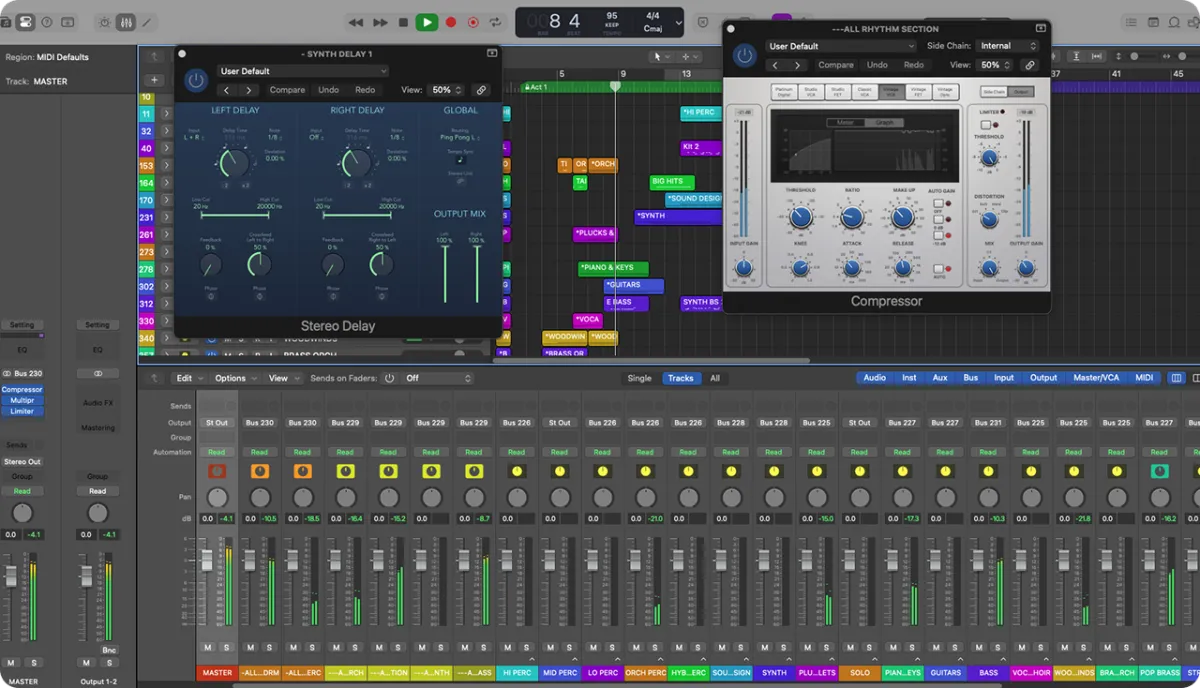
Orchestra, percussion, synths, and world instruments - already loaded and balanced. Open a practice scene and you're writing within minutes..
(Logic Pro - Cubase - Pro Tools - Ableton)
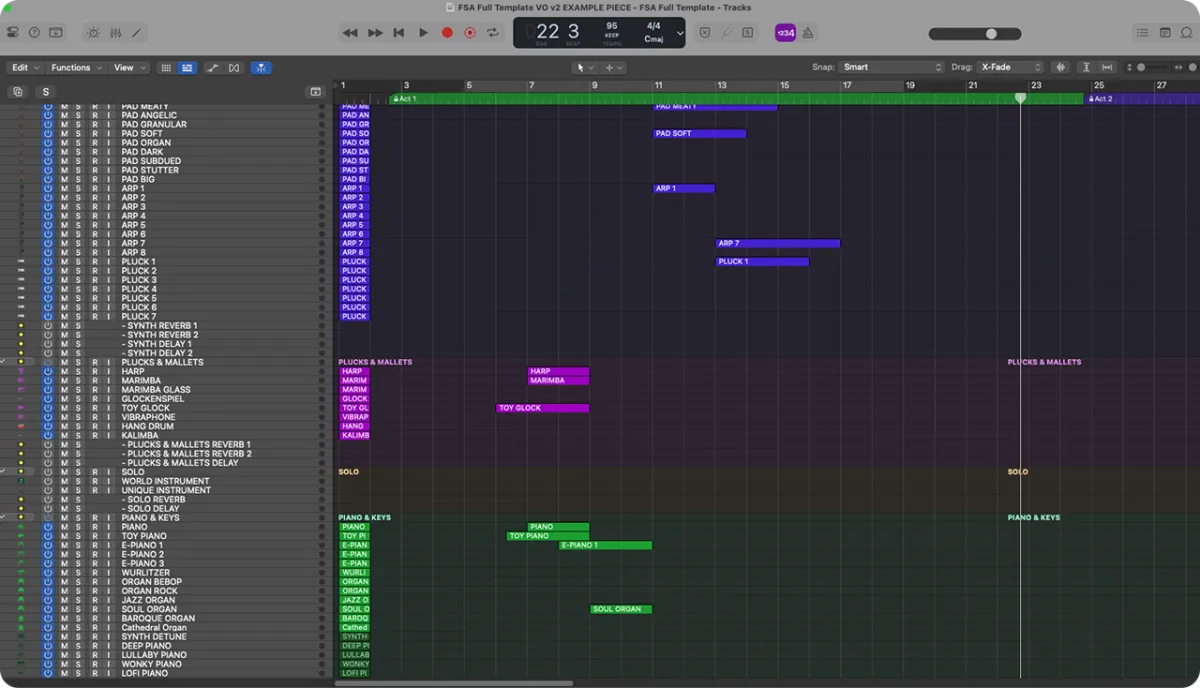
PRE-ROUTED PROFESSIONAL SCORING TEMPLATES
Professionally built session architecture with routing, stems, and buses ready to go. Load your own libraries and start from a pro foundation instead of zero.
(Logic - Cubase - Pro Tools)
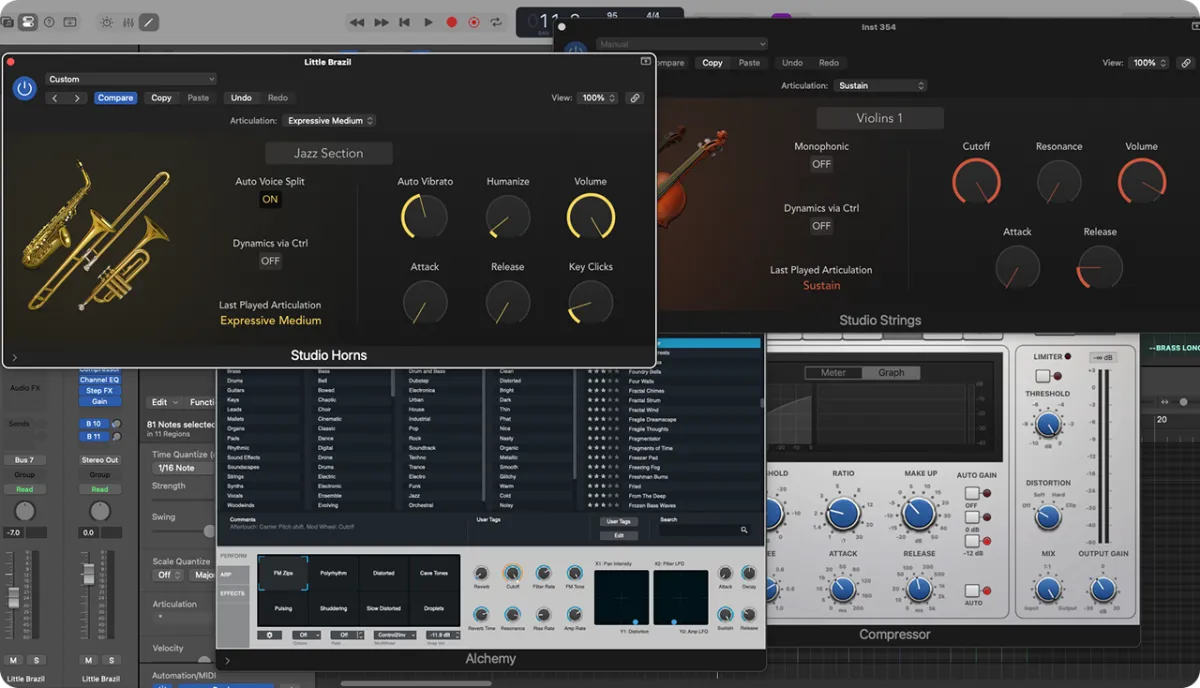
PRO ORCHESTRA EXPANSION
The same full cinematic template - upgraded with professional, free-to-download orchestral sounds from Spitfire Audio.
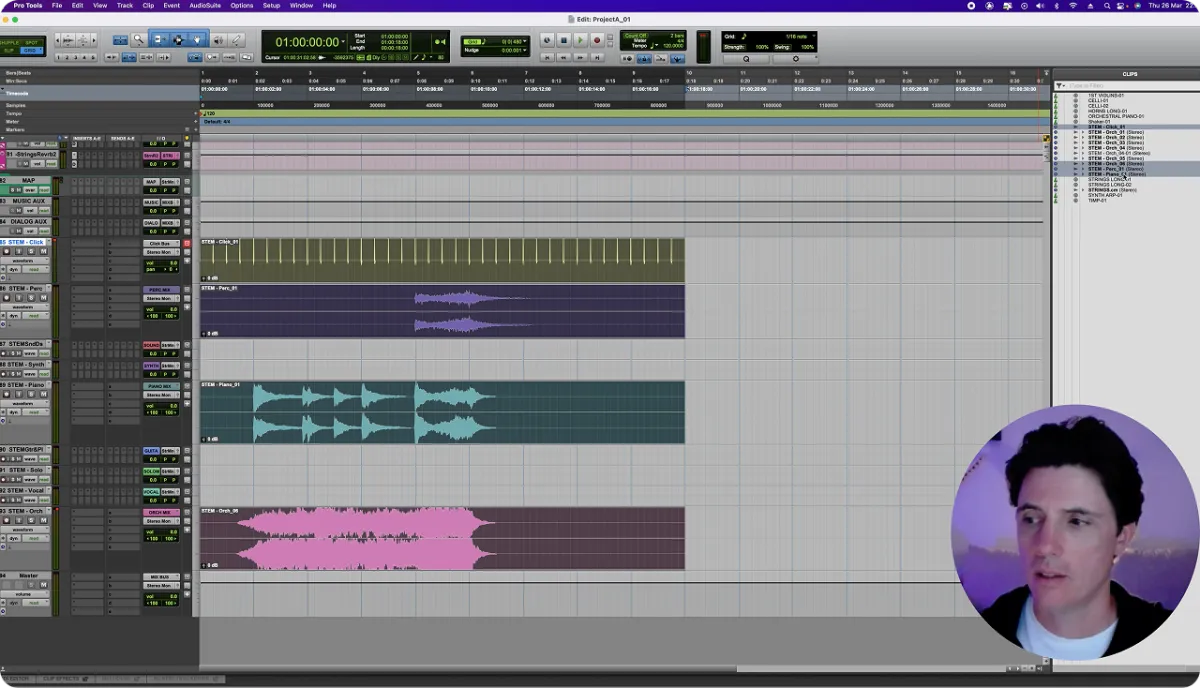
DAW WALKTHROUGH VIDEOS
Short, focused videos for each DAW - template layout, importing and syncing a film scene, MIDI recording, reverb routing, and exporting your final mix, stems, and QuickTime.

FILM SCORING
PRACTICE SCENES
5 curated, copyright-free classic film scenes. No hunting for material - open a scene, lock to picture, and write.
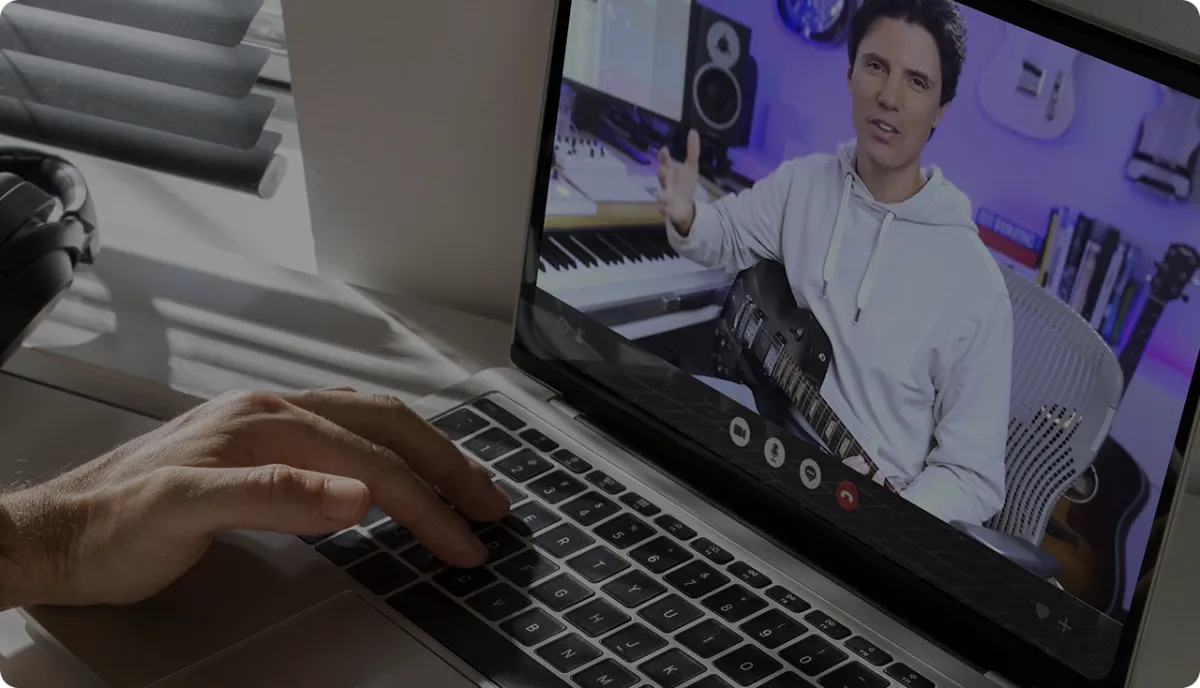
LIFETIME ACCESS
One purchase, yours forever - including future refinements to this version.
WhAT's INCLUDED in THE FSA COMPOSER'S STUDIO
PRE-LOADED SCORING TEMPLATES
Orchestra, percussion, synths, and world instruments - already loaded and balanced. Open a practice scene and you're writing within minutes. (Logic Pro - Cubase - Pro Tools - Ableton)
BLANK PROFESSIONAL SCORING TEMPLATES
Start every project with clean routing, stems, buses, and track organization - ready for your instruments and libraries. (Logic - Cubase - Pro Tools)
PRO ORCHESTRA EXPANSION
The same full cinematic template - upgraded with professional, free-to-download orchestral sounds from Spitfire Audio.
DAW WALKTHROUGH VIDEOS
Short, focused videos for each DAW - template layout, importing and syncing a film scene, MIDI recording, reverb routing, and exporting your final mix, stems, and QuickTime.
FILM SCORING
PRACTICE SCENES
5 curated, copyright-free classic film scenes. No hunting for material - open a scene, lock to picture, and write.
LIFETIME ACCESS
One purchase, yours forever - including future refinements to this version.
HOW IT WORKS
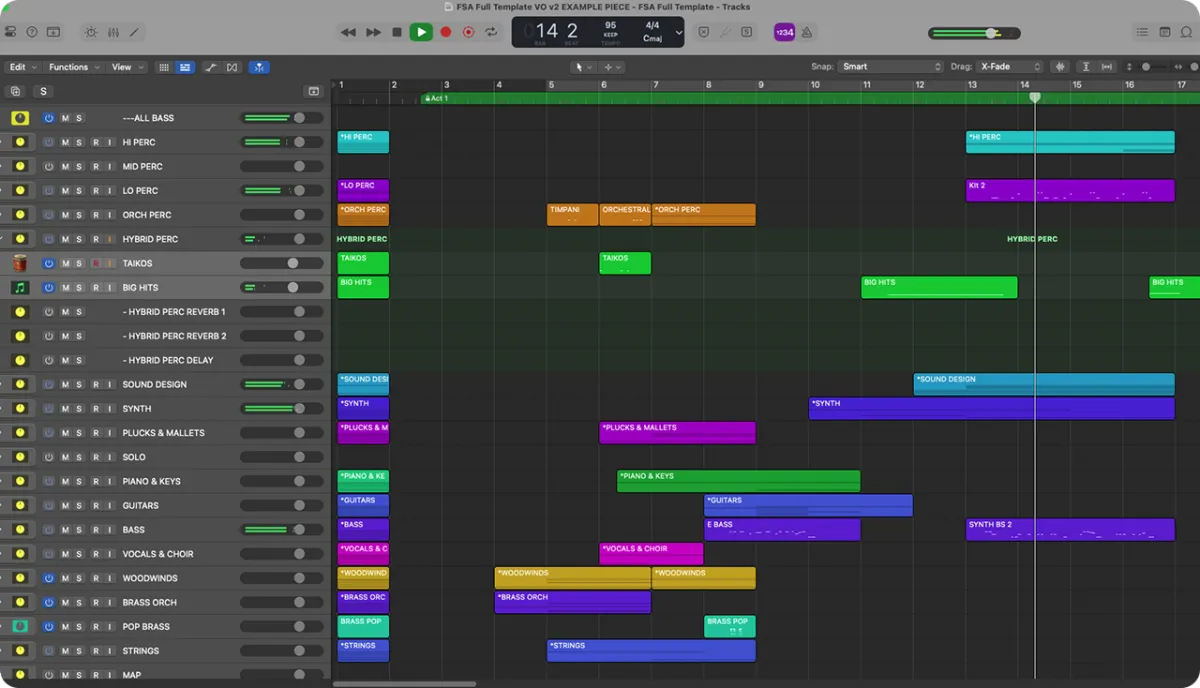
START WRITING IMMEDIATELY
Open a template, choose one of the included practice scenes, and start writing music.
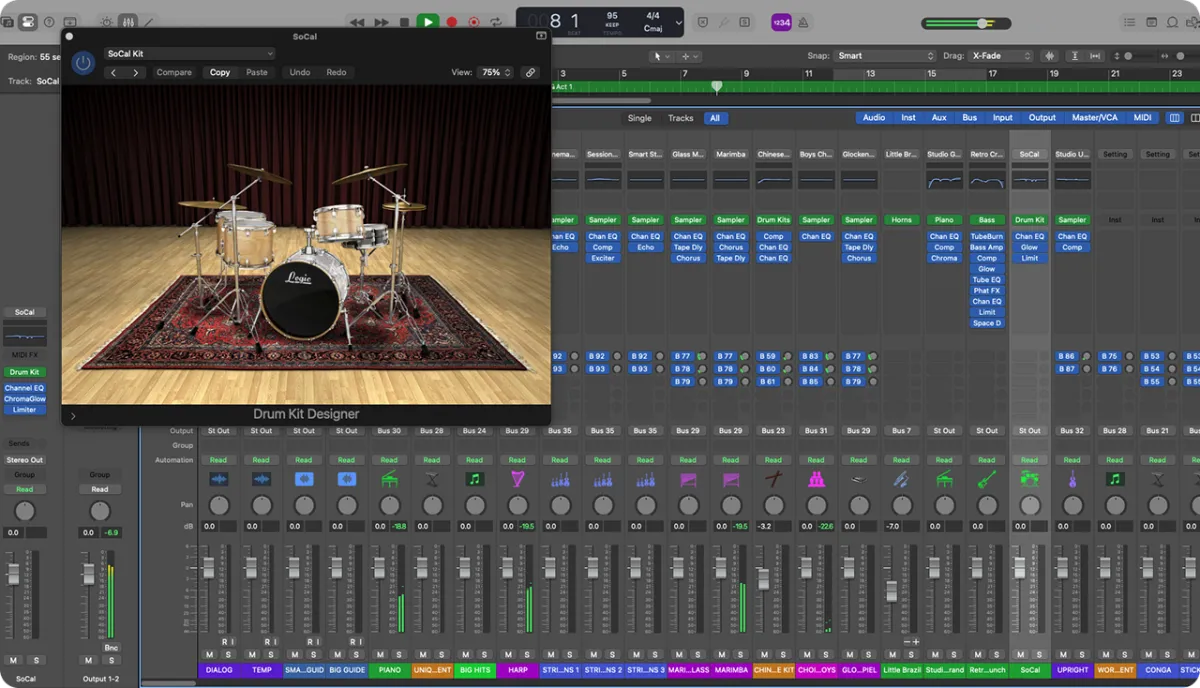
FILL OUT THE SOUND
Add instruments, layers and textures as your ideas grow. Everything stays organized so you can keep building without losing your way.
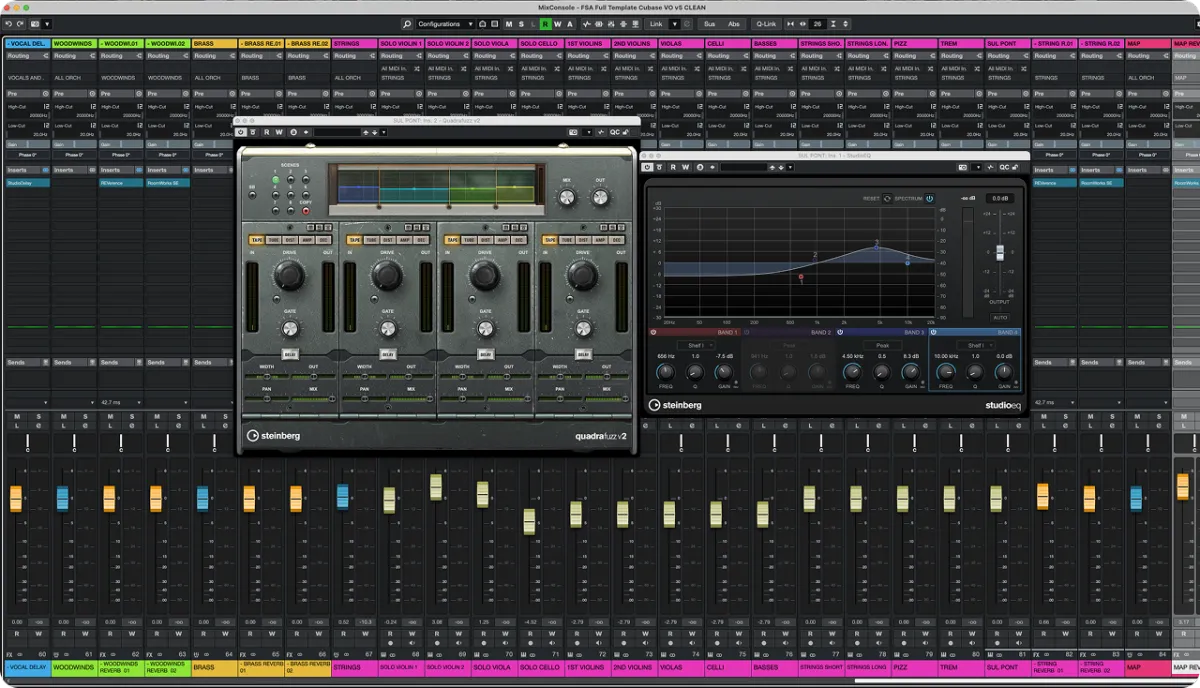
PRODUCE WITH CONFIDENCE
Shape your sound or leave it as is. Everything is already set up to sound professional from the first note.
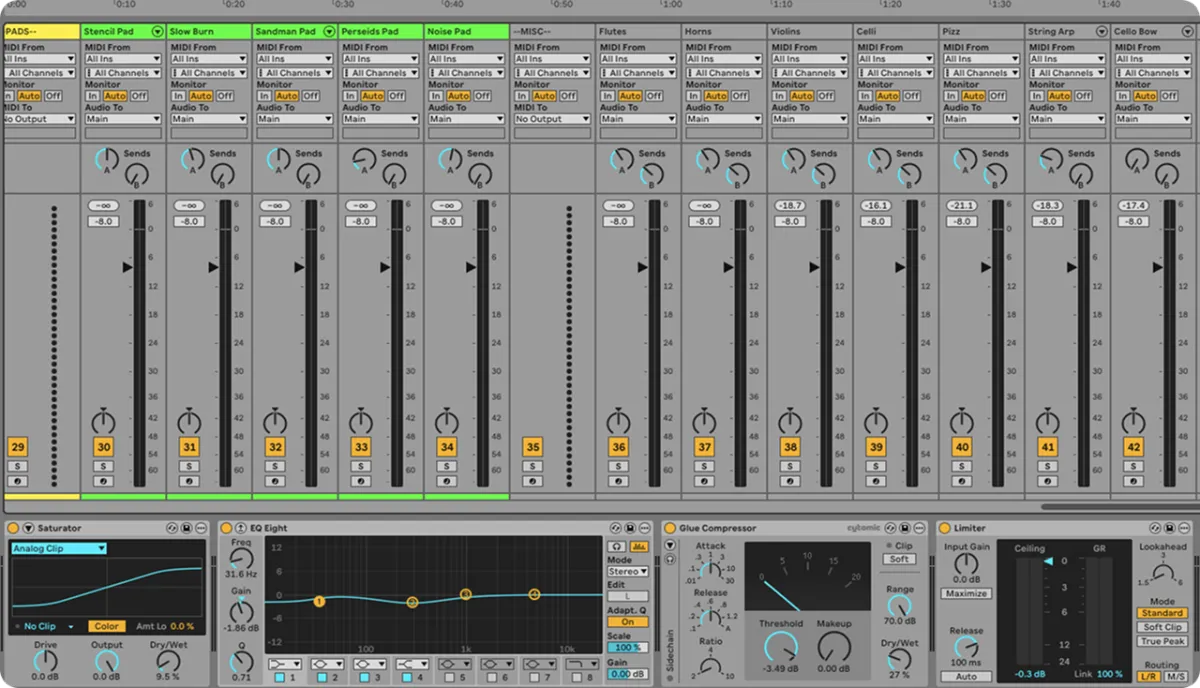
SHARE IT WITH THE WORLD
Export a finished mix, send to a filmmaker, upload to Spotify, or just play it to someone you love.
HOW IT WORKS
START WRITING IMMEDIATELY
Choose your starting point - open a pre-loaded template with sounds already in place, or start with a blank template built for your own libraries. Pick a practice scene and start writing.
FILL OUT THE SOUND
Add instruments, layers, and textures as your ideas grow. The session stays organized so you can keep building without losing your way.
PRODUCE WITH CONFIDENCE
Shape your mix or leave it as is - the templates are already balanced to sound professional from the first note.
SHARE IT WITH THE WORLD
Export stems, send to a filmmaker, upload to Spotify, or just play it to someone you love.
This KIT Is For You If...
You want to open your DAW and write - whether you use stock sounds or your own libraries
You want the feeling of sitting down in a real scoring studio
You want your setup to sound professional before you've written a single note
You want a pro starting point you can make your own
You work in Logic, Cubase, Pro Tools, or Ableton
ThIS KIT IS Designed For:
Film, TV and game composers
Musicians moving into cinematic writing
Electronic producers working to picture
Songwriters scoring visual media
Working composers who want a faster, cleaner workflow
Students who want to get started quickly
THIS IS NOT FOR YOU IF:
You prefer to set everything up from scratch every project
You'd rather spend time customizing your setup than writing music
MEET YOUR INSTRUCTOR
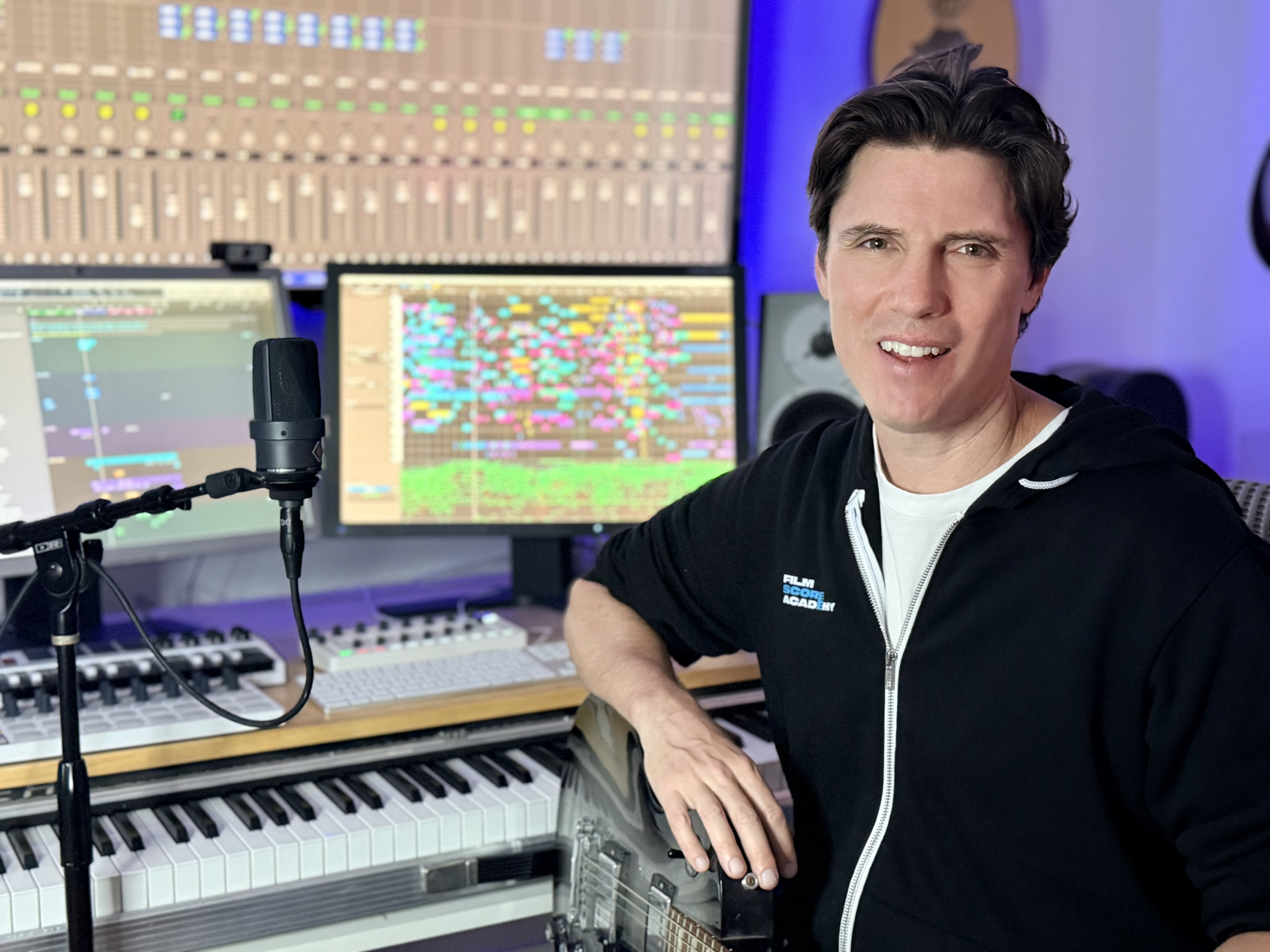
IAN HONEYMAN
Ian Honeyman spent 20 years in the rooms where Hollywood film music gets made. Starting as a technical score assistant on Pirates of the Caribbean, he went on to write music for more than 60 films, series, and games, with credits spanning Netflix, Disney, and national broadcast. His work has received an ASCAP Award, multiple Hollywood Music in Media Award nominations, and contributed to Emmy winning and Oscar shortlisted projects.
He studied classical composition at the Peabody Conservatory, then moved to Los Angeles with one goal: to write music for picture at the highest level. Along the way he worked alongside some of the industry's top composers, built his own step-by-step process for writing powerful, original film music, and developed a reputation for helping other composers find their voice and do the same.
His work has received an ASCAP Award, multiple Hollywood Music in Media Award nominations, and contributed to Emmy winning and Oscar-shortlisted projects.
But this course is not about credits. It is about the process. The repeatable, practical process Ian developed over two decades of real productions, now taught step by step, the way it is actually done on the job. No theory for theory's sake. Just real craft from someone who has lived it.
If you are serious about finishing professional cinematic music in your own voice, this is your opportunity to learn directly from someone who has been where you are and knows exactly what it takes to move forward.
The 30 Day Film Composer Curriculum
Module 1: Welcome
▸ Welcome To The Course: How to join the community and get the most out of the program.
▸ Set Up Your Studio: Set up for maximum creativity, focus and efficiency, including equipment and software recommendations for every budget.
▸ Download the Materials: How to access and use the scoring templates, sample scenes, and practice files that come with the course.
Get started, connected and set up for success. Download the templates, practice files and scenes so you can jump right in.
Module 2: Build Your Palette
▸ Choose a Scene: Hit the ground running - choose a scene from our library and learn how to watch it like a composer.
▸ Start Exploring Sounds: Learn what to listen for to build a cohesive, balanced, cinematic, emotionally compelling, unique and interesting instrument palette.
▸ Follow Along: Watch as Ian picks a scene, discusses it and builds a palette from scratch, then create your own, step by step.
▸ At the End of the Module: You’ll understand your scene and what it needs, and you’ll have a unique palette of sounds, well balanced across categories so it sounds great in the mix and is ready for you to start scoring.
You'll choose from our library of film scenes, then get to know the scene like a composer does - getting a feel for tone, pace, energy, emotional and story arcs. Discover how different instrument categories each contribute something emotionally, musically, and sonically unique. Learn how to balance your choices across categories to fill the sonic spectrum and create a unique palette that sounds great in the mix.
Watch as Ian builds a custom palette from scratch, then follow along and build your own.
By the end of this module, you’ll have a fully customized instrument palette, ready to score your first scene.
Module 3: Learn The Orchestra
▸ How to Write for Strings: Learn how to write for each string instrument. Learn each string technique and how to harness the power, emotional range and versitility of string instruments.
▸ How to Write for Woodwinds: Every woodwind technique and how to write for them to conjure different emotions and add air and atmosphere to the score.
▸ How to Write for Brass: Learn to use the power, warmth and weight of each brass instrument.
▸ How to Write for Orchestral Percussion: Learn to support the orchestra and provide weight, energy and atmosphere to your score.
▸ How to Write for Piano: Learn how to use this incredibly versatile instrument to evoke intimacy, power, to be paired with an orchestra, played solo or integrated into any other sonic palette.
▸ How to Create an Amazing Orchestral Demo: Learn Ian's techniques to layer virtual orchestral instruments to create emotional, powerful demos that knock filmmaker's socks off - and that everyone thinks is the real thing.
The orchestra is used frequently in film scoring for a reason - an orchestra can sound classic, modern or timeless. It has incredible versatility, range, depth and power, and every professional composer needs to be well versed in how to use it.
Take a deep dive - learn how each orchestral instrument works and how to write for them so they sound amazing, and how to write for the orchestra as an ensemble. Learn every technique each instrument can play and how they can be combined or used individually for visceral emotions that bring film scenes to life and keep audiences on the edge of their seats.
Watch as Ian orchestrates a piano piece using virtual instruments to create a lifelike orchestral demo, then take his piano piece (or write your own) and create your own orchestral version.
By the end of this module, you'll have a professional-level understanding of writing for orchestra and creating an orchestral demo.
Module 4: Guitars, Synths, Vocals, Unusual Instruments & More
▸ Using Guitars: Whether using a sampled guitar, playing a real guitar yourself or hiring a guitarist - learn the many ways guitars can be used in a film scoring context
▸ Using Synthesizers and Keyboards: Learn different types of synth sounds and how they can function in a scene and in a mix. Harness these powerful instruments to bring weight, mystery and modernity to your score.
▸ Using Samplers: Play any instrument in the world, record your own samples to have custom instruments or create custom sound design, all playable on your keyboard. Samplers are the lifeblood of modern film scoring!
▸ Using World Instruments or Build Your Own: Learn different categories of world instruments you can use to make your score pop with uniqueness and energy. Learn how building your own simple instruments can make your score even more unique and intriguing.
▸ Using Loops & Electronic Percussion: Learn modern tools and techniques for fresh energy and rhythm.
Make your scores sound unique, creative and well-produced! You can score a whole film with orchestra, but we can usually get much more depth and power by exploring lots of other instruments - plus it's super fun!
Take a deep dive into the many types of instruments you can use as a composer. Learn how to use everything from synthesizers and guitars to samplers and unusual instruments.
Learn to add mystery, intrigue and emotion with unusual instruments, how to use effects and production tools to make sounds larger than life, cinematic and powerful, or add invisible weight and depth to an orchestral score. Learn how to choose the right instrument for the right moment and how to layer sounds for amazing cinema.
Watch as Ian creates synth and guitar sounds from scratch, then create your own.
By the end of this module, you’ll understand how you can use each instrument to make your scores creative, intriguing and unique.
Module 5: Vocals
▸ Working With Solo Vocal Samples: Learn to use pre-existing vocal samples and phrases, fit them into your track and make them sound unique and powerful.
▸ Working With a Solo Vocalist: Learn to work with a session singer.
▸ Writing For Choir: Learn to write for choir to add power and humanity to your scores. Create amazing, lifelike demos using virtual instruments, ready to record with real choir (if you want).
▸ Using Your Own Voice: Learn to record your own voice (good or bad - doesn't matter!) and use it in various ways to make your scores unique.
Vocals have the power to instantly connect to the audience. Bring warmth, understanding and humanity to your scores with vocals - learn to work with a solo vocalist, write for choir, work with vocal samples, and use your own voice (you can do it!).
Watch as Ian adds solo vocals, choir, and sings on his orchestrated piece and produces the vocals into the track, then add vocals to your own piece.
Module 6: Themes, Melodies & Ideas
▸ Thematic Mindset: Learn how to approach theme - developing empathy for characters, writing from their perspective, and creating musical ideas that feel like an intrinsic part of the film while unlocking the film's emotions, hook the audience and guide them to emotionally connect.
▸ Artistic Principles and How To Use Them: Learn how to use wave mentality, tension and release, leading lines, the golden ratio & the three act structure to build compelling musical arcs.
▸ Melody, Counterline, Chords, Rhythm: Learn how to use melody, harmony, and rhythm together to create something emotionally resonant and musically strong.
▸ Subverting Expectations: Discover how to surprise your audience without losing coherence.
▸ Write Versatile Themes that Cover A Whole Film: Consider the different emotional and storytelling situations your theme will cover, and learn to write a theme that captures the audience at different stages of the story.
▸ Ian Writes A Theme: Watch Ian write a full theme in real time, explaining the musical and emotional choices behind each decision.
Learn why themes are essential, how to craft melodies, counterlines, and chord structures, how to use rhythm to pull the audience to the edge of their seat and keep them there by subverting expectations.
Explore different theme structures and learn to think in waves to shape complete musical ideas. Make your music emotionally impactful by applying universal artistic principles.
Watch Ian compose a full theme on piano from scratch, then apply what you’ve learned to write your own theme.
By the end of this module, you’ll have all the musical material you'll need to score a scene.
Module 7: Structure / Hit Points
▸ Artistic Structure Principles: Learn how wave mentality, tension and release, the golden ratio and the three act structure are used to structure a film cue.
▸ Turning Points, Hit Points & Markers: Learn how to identify the key moments in a scene and build your cue around them.
▸ Tempo Map: Learn to pick the right tempo(s) for the scene so your music naturally lands perfectly on hit points and turning points.
Structure your music for maximum emotional impact, guiding the audience through the film’s narrative. Explore the three-act structure, the concept of forward pull, and how to identify and use hit points and turning points in a scene.
Watch as Ian analyzes a scene, finds key moments and and the perfect tempo(s), and adds markers to guide the score’s intensity. Then apply these techniques to a specific scene, mapping out its dramatic flow and identifying the key emotional beats that your music will support.
By the end of this module, you'll understand how to shape the intensity of a film cue and have a fully structured scene ready for scoring in the next module.
Module 8: Write The Cue
▸ Why Does a Cue Resonate, and what are our goals?
▸ Emotional Storytelling, pacing & supporting subtext
▸ How to start a cue like a character entering a scene: Learn intentional and well-timed scene entrances.
▸ Work with Motion & Momentum: Utilize ostinatos, pulses, arpeggios, and rhythmic flow to keep the cue alive and engaging.
▸ Use a Piano Map: Sketch out the cue using a simple but effective method before orchestrating.
▸ Shape the Emotional Arc: Guide the audience’s emotions with melodic development, harmonic shifts, and dynamics.
▸ Write Around Dialogue: Learn how to write in a natural way, which supports dialog without overwhelming it.
▸ Assign Initial Instrumentation: Begin thinking orchestrationally, choosing which sections of the orchestra (or synths) will carry key moments.
Write the core of your film cue. This is where your ideas become real music, and you begin shaping the emotional impact of the scene. Write a piano map, then start assigning parts to instruments in your palette.
Watch as Ian writes a cue using the theme, structure and palette developed earlier in the course, then write your own cue.
By the end of this module, you’ll have a complete piano map and the first orchestration decisions locked in - with a clear plan to take your cue from a sketch to a fully realized, cinematic score.
Module 9: Finish The Cue
▸ Choose Instruments: Use instruments in your palette - or find new instruments - to build the cue.
▸ Play Every Instrument Yourself: Learn to get a realistic, great sounding demo by performing every part with emotion on the keyboard.
▸ Produce for Power & Depth: Learn to use pro techniques and tools like doubling, layering, reverb, delay and overdrive to create a larger-than-life sound.
▸ Enhance the Film’s Scale: Match the scope of the scene and push the edges to get the biggest experience for the audience possible.
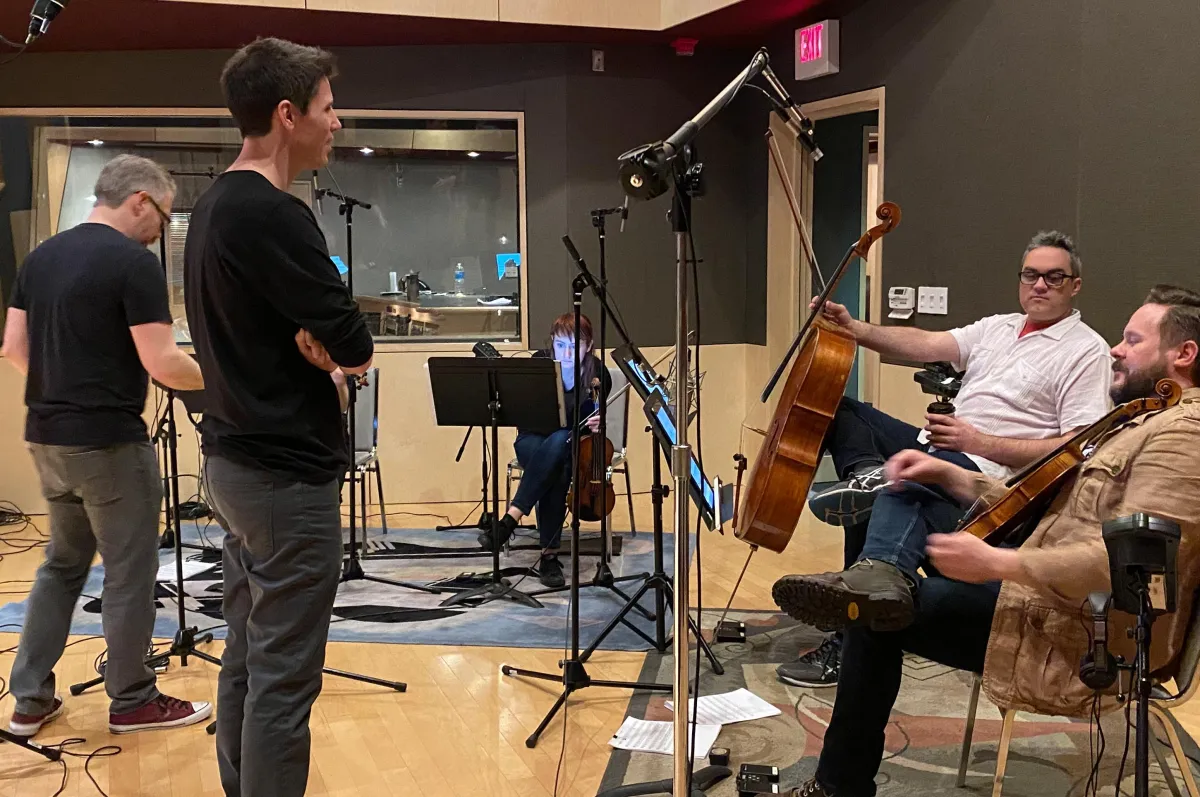
▸ Work with Musicians: How different types of musicians can help you at different stages of writing.
Bring your cue to life with orchestration, layering, and production techniques. This is where your score transforms from a sketch into a fully immersive cinematic experience.
By the end of this module, you’ll have a fully orchestrated, polished film cue, ready for mixing and mastering.
Module 10: Mix & Master
▸ Cleaning Up & Clarifying Each Instrument: Learn how to refine your mix by adjusting levels, EQ, compression, and overdrive to make every instrument speak clearly.
▸ Blending for a Cohesive Sound: Techniques to glue your mix together, making sure all elements sit well in the sonic space without overpowering each other.
▸ Reverb & Depth: How to use reverb to create space and realism, and make your mix feel cinematic and immersive.
▸ The ‘Mix Quiet’ Principle: Why mixing at low volumes helps you balance your cue properly, ensuring clarity and impact without relying on loudness.
▸ Final Master for a Composer’s Demo Mix: Learn how to prepare your mix for playback in a real film setting, making sure it’s balanced, clear, and emotionally impactful.
Make your music shine - learn the principles of film music mixing and how to get the most power, emotion, space, weight and vibe out of your cue.
Watch as Ian mixes and masters his finished cue, then mix and master your own.
By the end of this module, you’ll have a finished, professional-sounding cue that’s ready for placement in the film.

Module 11: Revisions & Working With Filmmakers
▸ How to Handle Revisions: And why they're normal and essential.
▸ How to Handle "Temp Love"
▸ The Art of Collaboration: Communicating with filmmakers and balancing your creativity with their perspectives, opinions and needs.
Learn how to go through the film scoring process, by playing your cue for a director and addressing feedback.
Watch as Ian plays his cue for a director, receives feedback, and revises it in real-time. Then, revise your own cue, making changes efficiently while staying true to your creative voice.
By the end of this module, you’ll be ready to handle feedback professionally and collaborate effectively on real-world film projects.
Module 12: Writing For Different Genres
▸ How To Write Action/Thriller:
▸ How To Write Drama:
▸ How To Write Adventure:
▸ How To Write Animation:
Learn how to think about genre and how genres are different, but the same. Learn to write in different genres while maintaining your unique sound.
Choose scenes from the library in different genres, and go through the process for each genre.
By the end of this module, you'll have the skills to tackle any film genre, and a substantial showreel of your own film music, ready to send to filmmakers.
Module 13: Recording & Delivery
▸ Recording and Mixing: How to work with an orchestrator, orchestra, solo musicians, and recording and mixing engineers.
▸ Cue Management: keeping track of versions, stems, and mix notes.
▸ How to Handle Last-Minute Picture Changes most efficiently.
▸ Finalizing Your Cue For Delivery: What formats and stems post production mixers expect and how to meet their needs.
▸ Archiving your music so you can quickly find it in the future.
Watch Ian prepare his cue for delivery, ensuring everything is properly formatted, labeled, and export-ready. Then, you’ll go through the process yourself, learning how to keep your work organized and ready for any last-minute adjustments.
By the end of this module, you’ll be confident in delivering finished, professional-level film music.
Module 14: Business
▸ How film composers make money: royalties, sync fees and more.
▸ Understanding PROs (ASCAP, BMI, SESAC): why you need one and how to register.
▸ The difference between being a writer and a publisher and why you should be both.
▸ The Mechanical Licensing Collective (MLC) & Neighboring Rights: how they work and why you should register.
▸ Action steps to collect all the royalties you're due.
By the end of this module, you'll be fully set up to protect your music and earn all the royalties you're owed.
Module 15: How To Get Work
▸ Networking for composers: Where to find opportunities and how to connect with filmmakers.
▸ How to pitch yourself effectively: Crafting an irresistible showreel and outreach strategy.
▸ Who to send your reel to and how to make it stand out.
▸ The different types of film music work: From indie films to TV, commercials, games, and library music Action steps to start getting noticed and moving toward paid work
By the end of this module, you'll have a clear understanding of what to do next to start getting real scoring opportunities.
Module 16: Work / Life Balance
Learn how to navigate the challenges of time management, creative burnout, and budgeting for your projects. You'll discover:
▸ What To Do and How To Act on your first film.
▸ How to manage crazy deadlines without sacrificing quality.
▸ When to sleep and when to push through - balancing creative output and health.
▸ Should you spend your entire budget on recording? How to budget a film score to deliver the best quality possible while still earning money.
By the end of this module, you’ll have strategies to stay creative, productive, and sane while navigating the intense world of film scoring.
This platform has completely transformed how we manage our marketing campaigns. The ease of use and powerful features have made a significant impact on our ROI.

The automation capabilities are incredible. We've saved countless hours and improved our customer engagement significantly.


The analytics and reporting features give us insights we never had before. Our conversion rates have improved by 40%.

HAVE QUESTIONS?
"I already have templates"
Most templates weren't designed around the film scoring workflow. This kit gives you two things yours probably doesn't: a professionally built blank template and a fully pre-loaded, pre-mixed cinematic palette, both built by a working Hollywood composer.
"I'm not sure I'm ready for this yet"
If you can open a DAW and load an instrument, you're ready. The walkthrough videos show you exactly how to use the template - layout, importing a scene, recording, and exporting your finished mix.
"Will this work with my DAW?"
The kit includes templates for Logic, Cubase, Pro Tools, and Ableton. If you own one of those DAWs and have your stock sounds installed, you have everything you need.
What's Included In 30 Day Film Composer
INSTRUMENT MASTERY
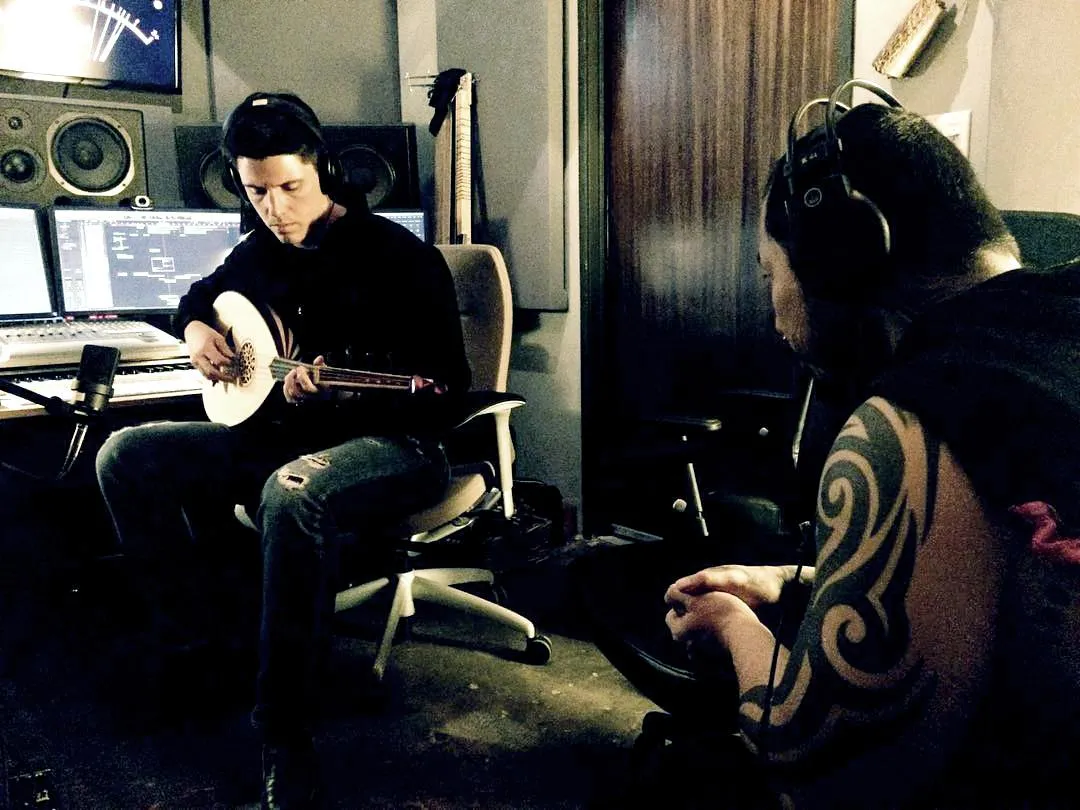
Master working with orchestra and synths, guitars, samplers and unique instruments.
DEVELOP UNMISTAKABLE SOUND
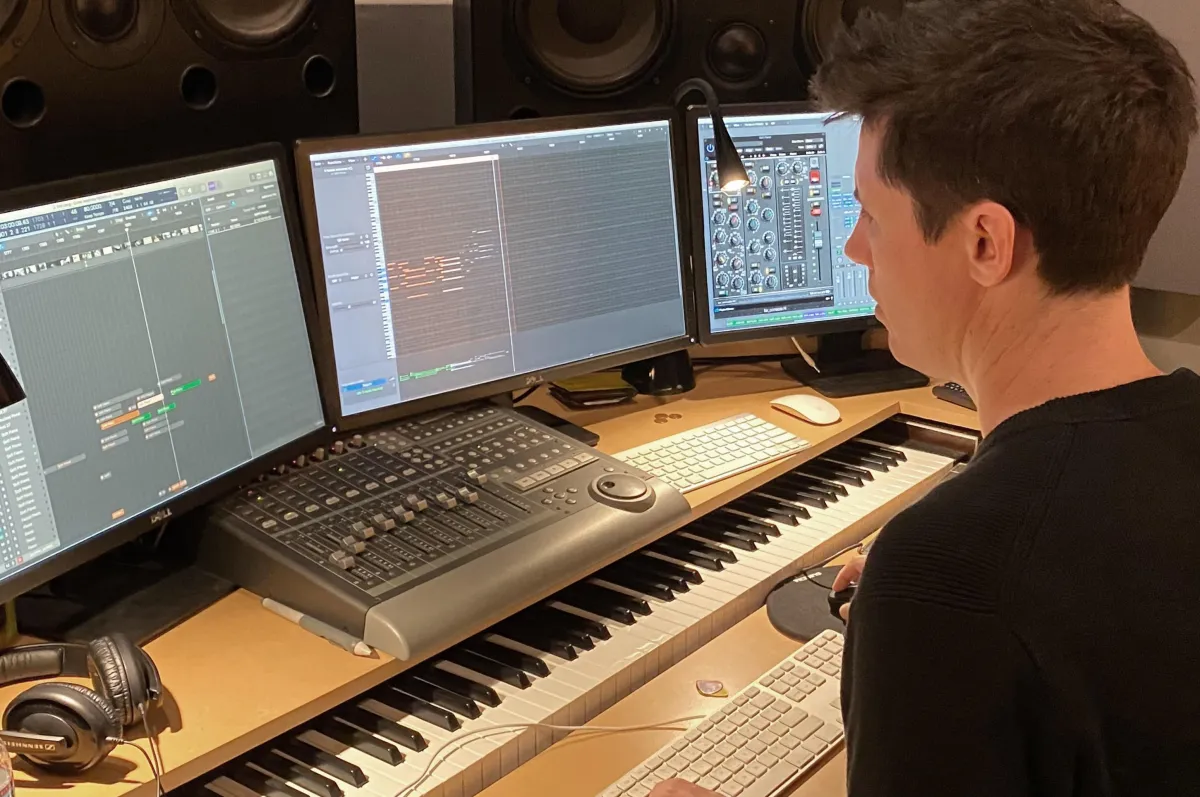
Create music that sounds unmistakable like you, and unique to the film at the same time.
REAL WORLD EXAMPLES
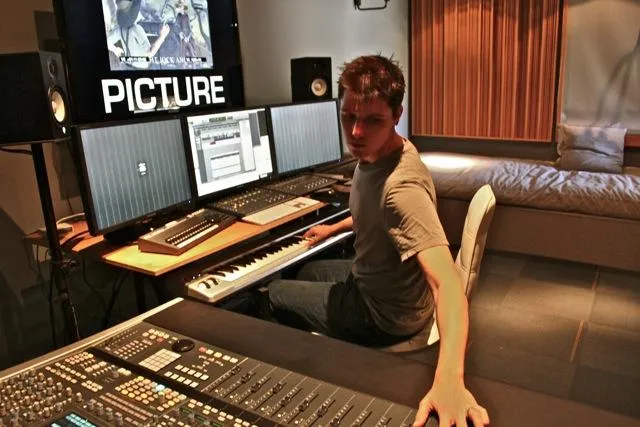
Learn storytelling by scoring scenes - Includes a library of ready-to-score scenes from classic films
BUSINESS OF FILM MUSIC
Collaborate with filmmaking clients, budgeting, royalty streams, getting work and making a living.
COMMUNITY SUPPORT
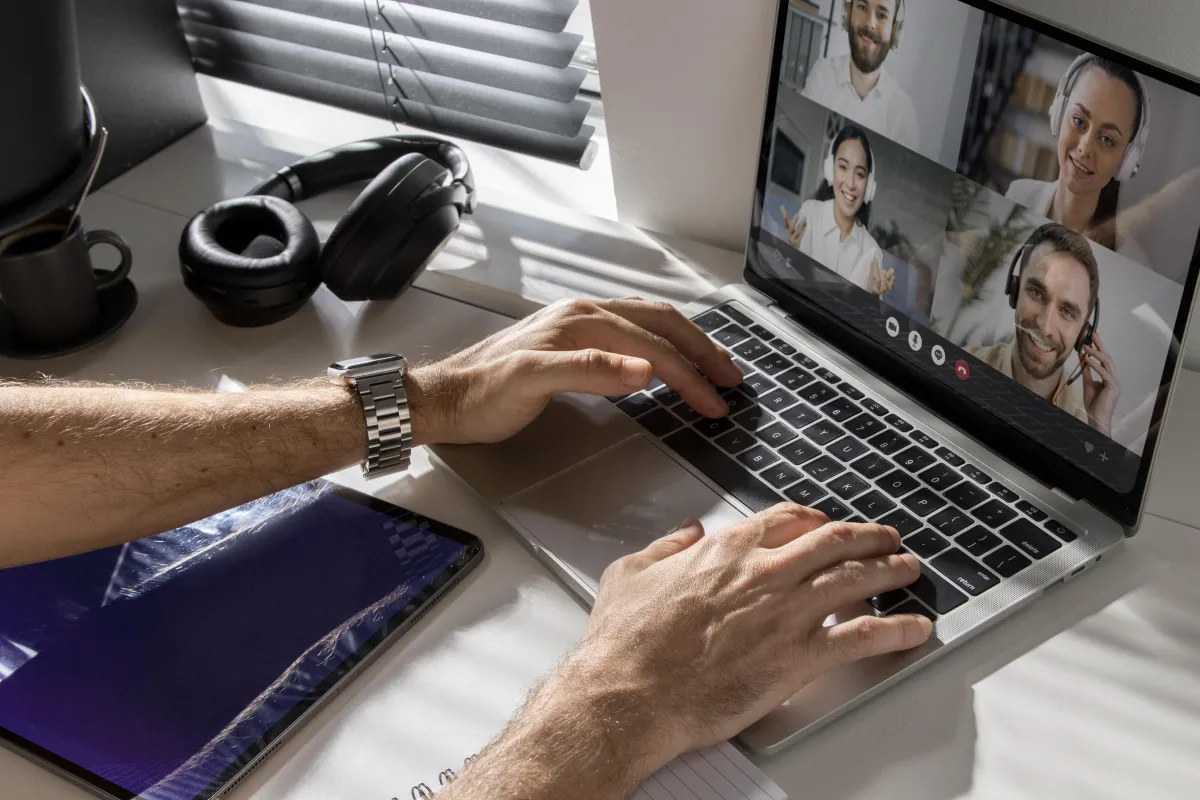
Get support from a community of students, learning at the same time as you.
FEATURES

Daily Practice Exercises

Professional Templates

PRACTICE SCENES

LIVE Q & A CALLS
Listen To These Client Stories
Supercut of testimonials
Frequently Asked Questions
What skill level is this program for?
If you've used a DAW and are excited to learn, you’re ready. This course is for musicians with some experience and basic DAW familiarity - no film scoring background required. Student-level musicianship is totally fine.
How long do I have access to the program & when does it start?
You can start right away - and you'll have lifetime access. Go at your own pace, revisit anytime, and learn whenever inspiration strikes.
Can't I learn all of this on Youtube?
YouTube is good for tips, but it’s scattered and inconsistent. This course gives you a focused, proven system to create cinematic, story-driven music that sounds professional and gets remembered.
Do I need a fancy studio or film scoring experience?
Not at all. All you need is a laptop or computer, a DAW, a MIDI keyboard, and headphones or speakers. You'll learn how to create professional-sounding film music from whatever setup you have right now.
Should I invest in 30 Day Film Composer before upgrading my music gear?
Yes! Great results come from process, not expensive tools. You'll learn to get cinematic results with what you have - plus you'll get a gear-buying guide so you know exactly what's worth investing in.
What if I don’t have time right now?
The course is self-paced and built for busy musicians. The lessons are concise and actionable - even a few hours a week will lead to a pro-quality showreel without burnout.
What if I’m not good enough yet?
This course meets you where you are and takes your music to a new level. Whether you're just starting or already producing, you'll learn the techniques and creative tools to dramatically improve your work - fast. You'll finish with music that's clear, confident, and uniquely yours.
What if I’ve already taken other film scoring courses?
Perfect. That means you're serious - and you'll get even more from this. Unlike programs that only teach orchestration or theory, 30 Day Film Composer covers the full process: writing, producing, and finishing cinematic music that's emotional, original, and ready for your showreel.
Will this help me get actual scoring jobs?
No course can promise jobs, but this one gives you the tools and strategy to start landing them. You'll create a professional showreel that showcases your voice, learn to produce music that connects emotionally, and develop the skills directors look for. We'll even cover networking and pitching basics.
Will I get feedback on my work?
Join during pre-launch and you’ll receive personalized video feedback from Ian on one of your finished tracks. It's a limited-time bonus for early students - direct actionable insight from a Hollywood composer. You'll also get ongoing feedback in the private community.
I've never used a DAW, what should I do?
No problem. We're creating a beginner-friendly First-Time Composer course. Email [email protected] to get early access and a special discount when it launches.
IS THERE A GUARANTEE?

Absolutely! 30 Day Film Composer comes with a 7-Day Satisfaction Guarantee. If you don't feel confident, inspired, and completely satisfied with the course, just email us within 7 days for a full refund - no questions asked.
FSA Professional Scoring PACK gives you the setup
The next question - the one most composers face the moment their session looks professional - is: what do I actually write?
That's what 30 Day Film Composer answers. Ian's complete step-by-step course for writing cinematic music to picture - from scene analysis to finished, delivered cue - in your own voice.
The setup is just the beginning. 30 Day Film Composer teaches you what to do next.
START WRITING PROFESSIONAL MUSIC NOW
THE FSA COMPOSER'S STUDIO
Whether you want to open your DAW and write right now, or load your own sounds into a pro-built session - you have everything you need to start today.
Leave the guess work behind. Open your DAW and start writing now with FSA Composer Studio.